World Clock
Main Activity
World Clock
0
World Clock
Last updated by Thaiger on Mon Sep 21 00:58:20 UTC 2015
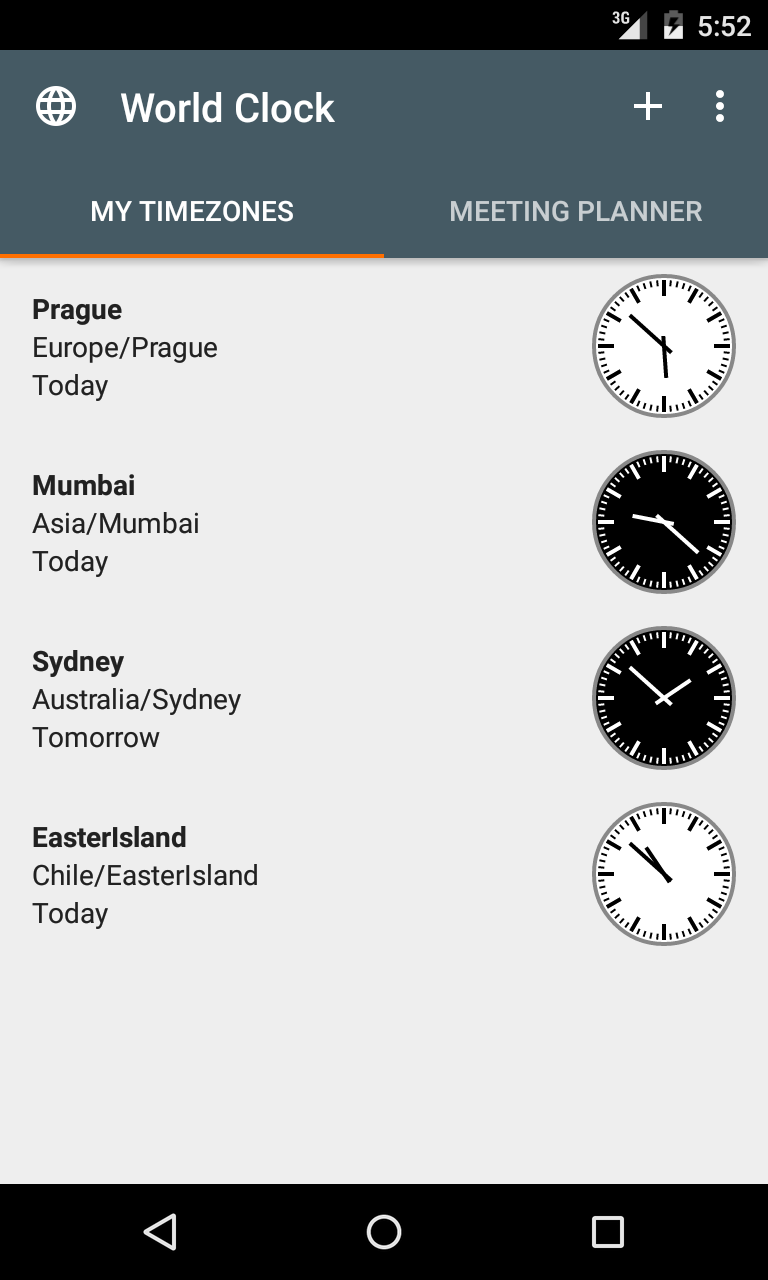
My Timezones
Main Activity
My Timezones
0
My Timezones
Last updated by Thaiger on Mon Sep 21 00:58:33 UTC 2015
Meeting Planner
Main Activity
Meeting Planner
0
Meeting Planner
Last updated by Thaiger on Mon Sep 21 00:58:41 UTC 2015
Add timezone
Main Activity
Add timezone
0
Toggle view
Main Activity
Toggle view
0
Scroll to now
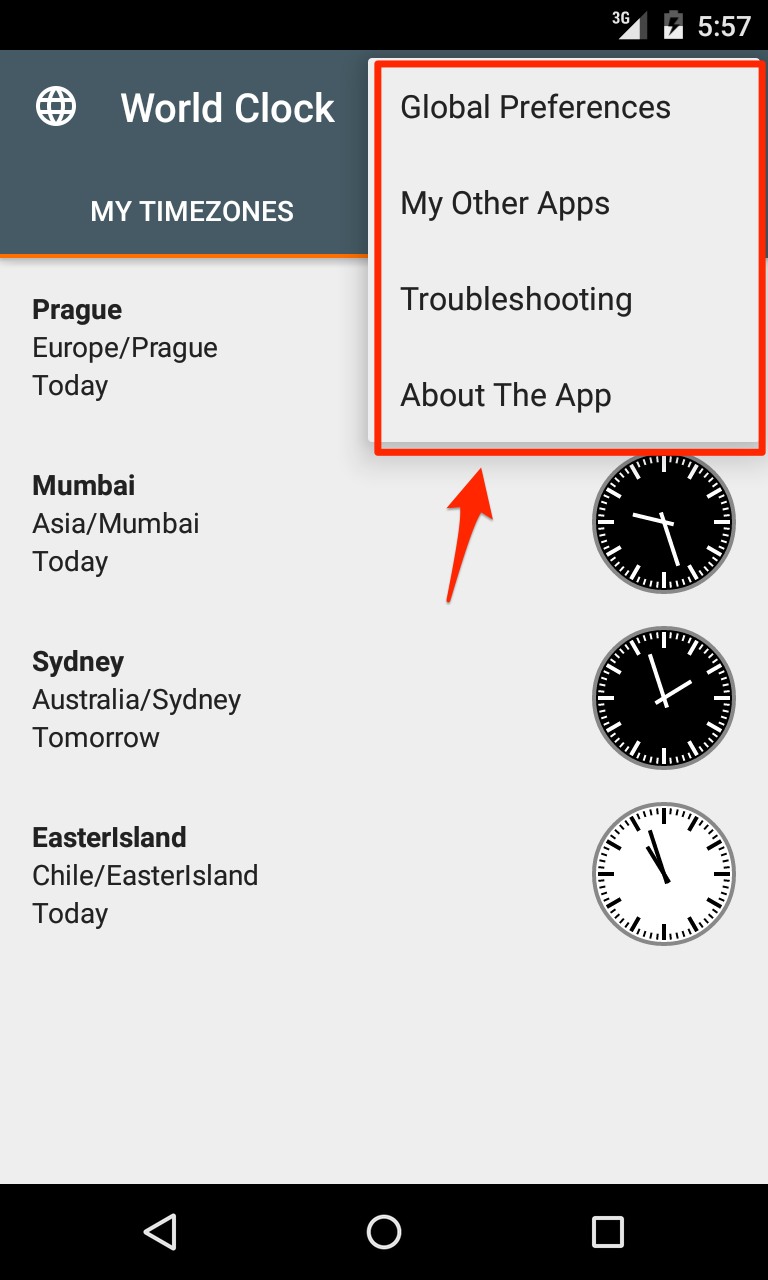
Overflow menu in main activity
Scroll to now
0
Scroll to now
Last updated by Thaiger on Mon Sep 21 00:58:58 UTC 2015
Add widget
Overflow menu in main activity
Add widget
0
Upgrade app
Overflow menu in main activity
Upgrade app
0
Our other apps
Overflow menu in main activity
Our other apps
0
Our other apps
Last updated by Thaiger on Mon Sep 21 00:59:15 UTC 2015
Widget not updating?
Overflow menu in main activity
Widget not updating?
0
Widget not updating?
Last updated by Tomáš Hubálek on Mon Oct 10 11:03:46 UTC 2016
Provide feedback
Overflow menu in main activity
Provide feedback
0
Provide feedback
Last updated by Thaiger on Mon Sep 21 01:00:11 UTC 2015
Help with translation
Overflow menu in main activity
Help with translation
0
Help with translation
Last updated by Thaiger on Mon Sep 21 01:00:15 UTC 2015
This app is translated by volunteers.\n\nIf you want to contribute translation of the app into your language (as well as correct translation of somebody else) you can visit web http://translations.hubalek.net/app/wcw.\n\nThank you very much.\n\nP.S. As thank you for significant contribution we can give you unlock code to Pro version.
Help with translation dialog
This app is translated by volunteers.\n\nIf you want to contribute translation of the app into your language (as well as correct translation of somebody else) you can visit web http://translations.hubalek.net/app/wcw.\n\nThank you very much.\n\nP.S. As thank you for significant contribution we can give you unlock code to Pro version.
0
This app is translated by volunteers.\n\nIf you want to contribute translation of the app into your language (as well as correct translation of somebody else) you can visit web http://translations.hubalek.net/app/wcw.\n\nThank you very much.\n\nP.S. As thank you for significant contribution we can give you unlock code to Pro version.
Last updated by Tomáš Hubálek on Thu Nov 10 13:24:06 UTC 2016
We are looking forward to hearing from you
Provide feedback dialog
We are looking forward to hearing from you
0
We are looking forward to hearing from you
Last updated by Thaiger on Mon Sep 21 01:00:35 UTC 2015
You feedback is very important for us.\n\nIf you find bug or have an idea for new feature don\'t hesitate to contact us via email or Google+ community.\n\nNo response guaranteed but we read all the emails ;-)
Provide feedback dialog
You feedback is very important for us.\n\nIf you find bug or have an idea for new feature don\'t hesitate to contact us via email or Google+ community.\n\nNo response guaranteed but we read all the emails ;-)
0
You feedback is very important for us.\n\nIf you find bug or have an idea for new feature don\'t hesitate to contact us via email or Google+ community.\n\nNo response guaranteed but we read all the emails ;-)
Last updated by Thaiger on Mon Sep 21 01:00:39 UTC 2015
Email
Provide feedback dialog
Email
0
Email
Last updated by Thaiger on Mon Sep 21 01:00:44 UTC 2015
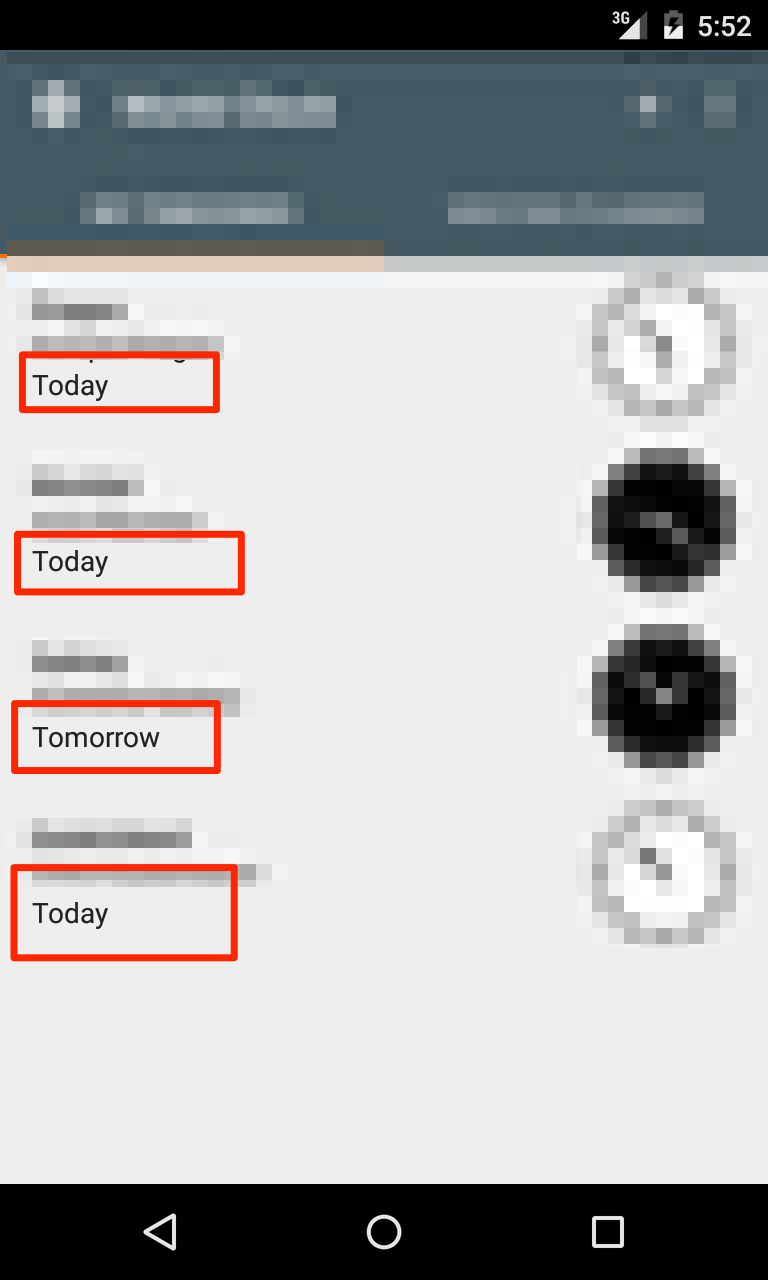
Yesterday
Soft dates (today, tomorrow, yesterday)
Yesterday
0
Yesterday
Last updated by Thaiger on Mon Sep 21 01:01:26 UTC 2015
Today
Soft dates (today, tomorrow, yesterday)
Today
0
Today
Last updated by Thaiger on Mon Sep 21 01:01:31 UTC 2015
Tomorrow
Soft dates (today, tomorrow, yesterday)
Tomorrow
0
Tomorrow
Last updated by Thaiger on Mon Sep 21 01:01:34 UTC 2015
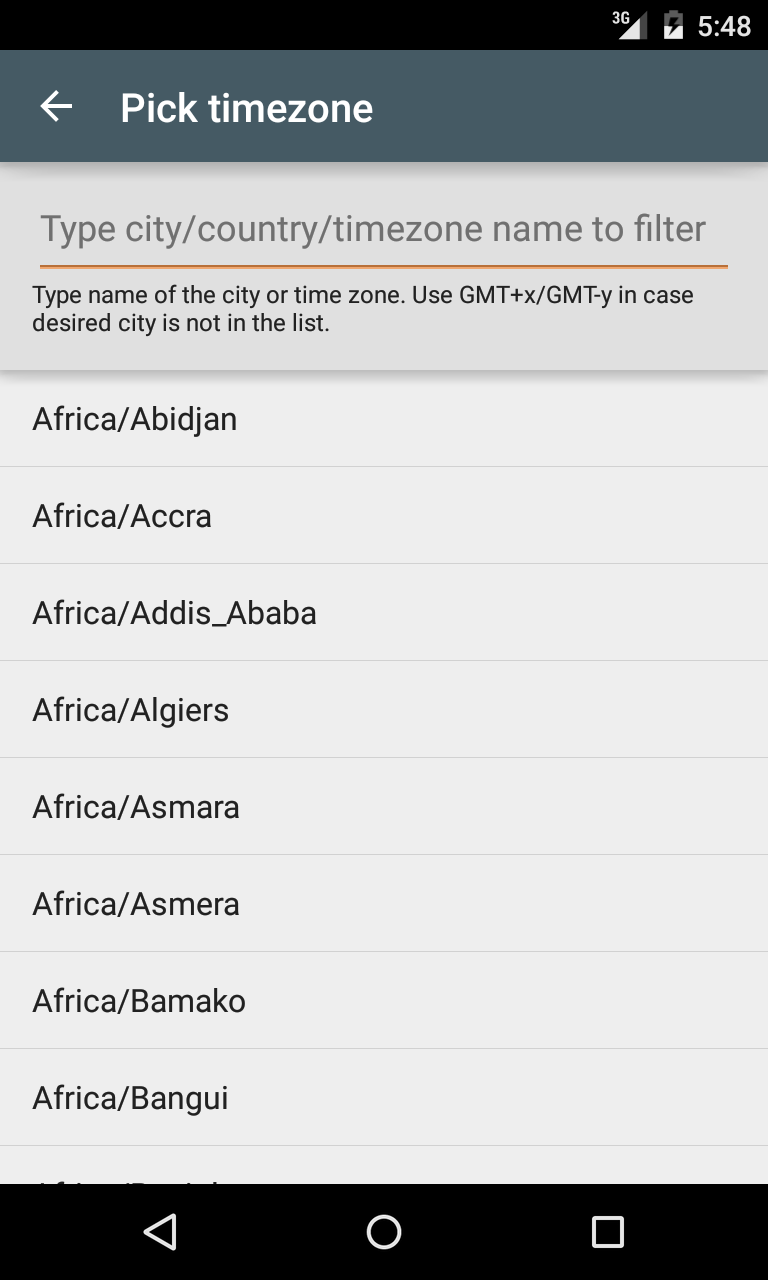
Pick timezone
Timezone pick activity
Pick timezone
0
Pick timezone
Last updated by Thaiger on Mon Sep 21 01:01:38 UTC 2015
Enter city or timezone here
Timezone pick activity
Enter city or timezone here
0
Enter city or timezone here
Last updated by Tomáš Hubálek on Mon Oct 10 11:04:27 UTC 2016
Error initializing database. Please release some space on your device.
Timezone pick activity
Error initializing database. Please release some space on your device.
0
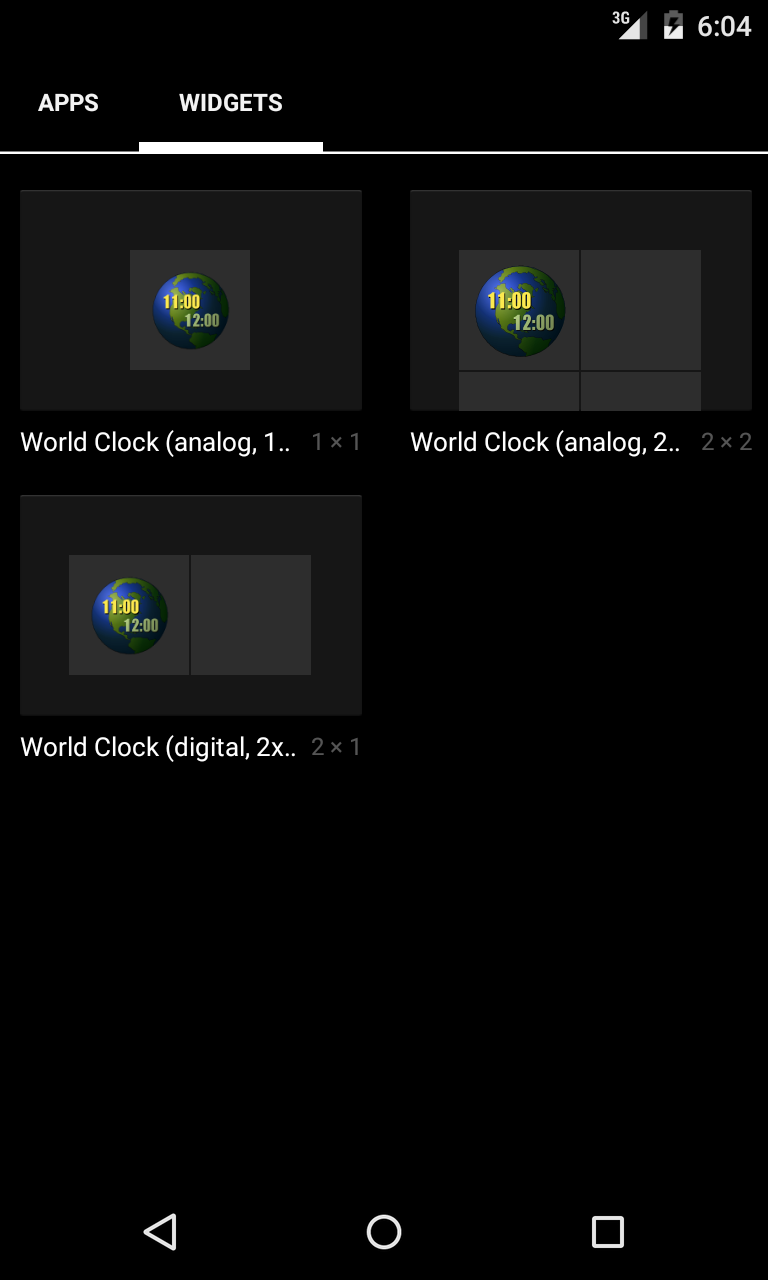
World Clock (analog, 2x2)
Widget labels in list of widgets.
World Clock (analog, 2x2)
0
World Clock (analog, 2x2)
Last updated by Thaiger on Mon Sep 21 01:01:46 UTC 2015
World Clock (digital, 2x1)
Widget labels in list of widgets.
World Clock (digital, 2x1)
0
World Clock (digital, 2x1)
Last updated by Thaiger on Mon Sep 21 01:01:49 UTC 2015
World Clock (analog, 1x1)
Widget labels in list of widgets.
World Clock (analog, 1x1)
0
World Clock (analog, 1x1)
Last updated by Thaiger on Mon Sep 21 01:01:51 UTC 2015
Loading… Delete widget and add it again if this message persist too long.
Displayed after device reboot before widget is rendered for first time.
Loading… Delete widget and add it again if this message persist too long.
0
Loading… Delete widget and add it again if this message persist too long.
Last updated by Thaiger on Mon Sep 21 01:01:55 UTC 2015
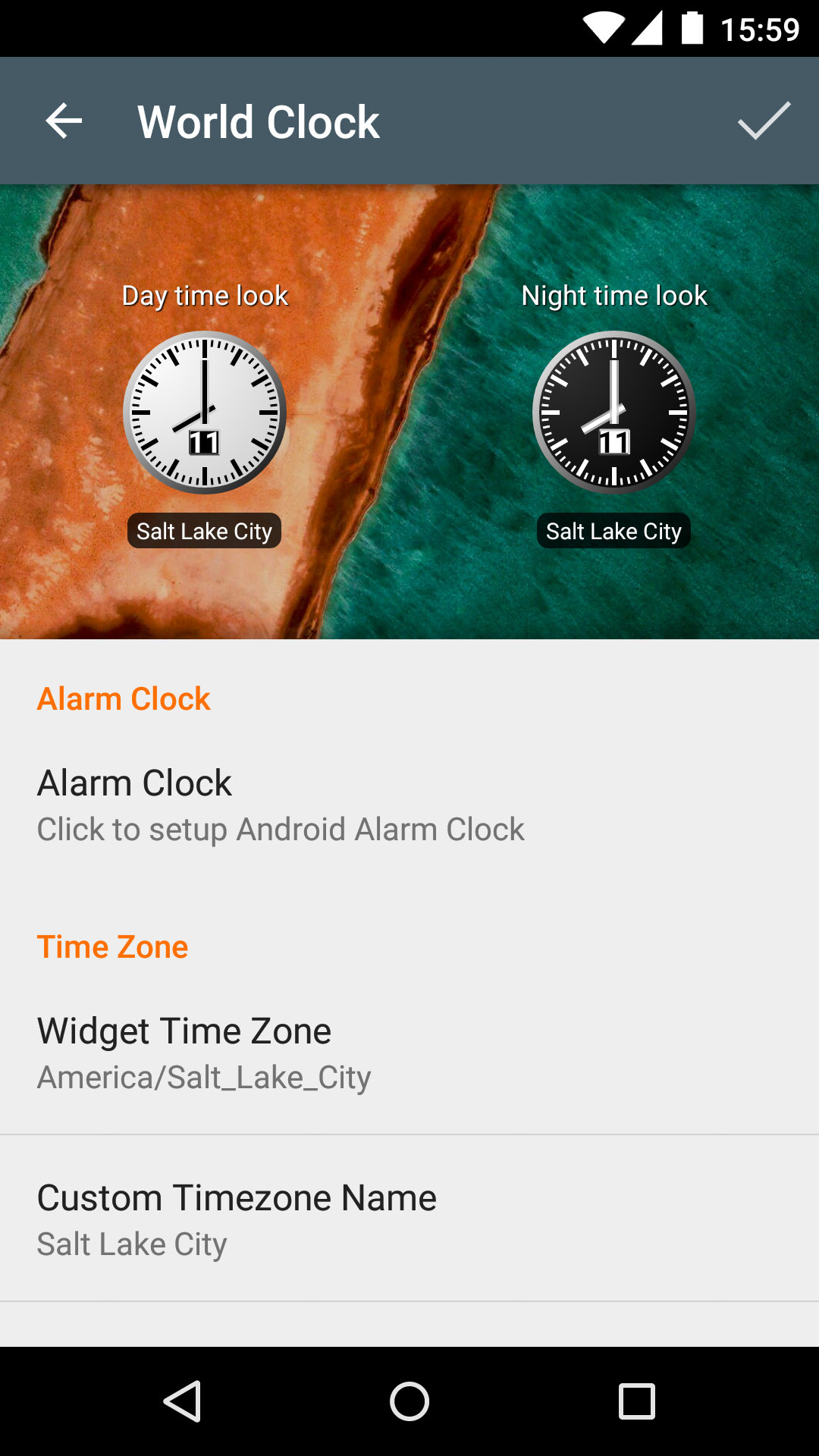
Day time look
Displayed after device reboot before widget is rendered for first time.
Day time look
0
Day time look
Last updated by Thaiger on Mon Sep 21 01:02:01 UTC 2015
Night time look
Displayed after device reboot before widget is rendered for first time.
Night time look
0
Night time look
Last updated by Thaiger on Mon Sep 21 01:02:13 UTC 2015
Alarm Clock
Displayed after device reboot before widget is rendered for first time.
Alarm Clock
0
Alarm Clock
Last updated by Thaiger on Mon Sep 21 01:02:18 UTC 2015
Time Zone
Displayed after device reboot before widget is rendered for first time.
Time Zone
0
Time Zone
Last updated by Thaiger on Mon Sep 21 01:02:24 UTC 2015
Widget Time Zone
Displayed after device reboot before widget is rendered for first time.
Widget Time Zone
0
Widget Time Zone
Last updated by Thaiger on Mon Sep 21 01:02:27 UTC 2015
Custom Timezone Name
Displayed after device reboot before widget is rendered for first time.
Custom Timezone Name
0
Custom Timezone Name
Last updated by Thaiger on Mon Sep 21 01:02:31 UTC 2015
Use if you want to override name of the timezone
Displayed after device reboot before widget is rendered for first time.
Use if you want to override name of the timezone
0
Use if you want to override name of the timezone
Last updated by Thaiger on Mon Sep 21 01:02:34 UTC 2015
Fixed Timezone
Displayed after device reboot before widget is rendered for first time.
Fixed Timezone
0
Fixed Timezone
Last updated by Thaiger on Mon Sep 21 01:02:37 UTC 2015
Uses timezone specified in your phone.
Displayed after device reboot before widget is rendered for first time.
Uses timezone specified in your phone.
0
Uses timezone specified in your phone.
Last updated by Thaiger on Mon Sep 21 01:02:39 UTC 2015
Always uses timezone specified above.
Displayed after device reboot before widget is rendered for first time.
Always uses timezone specified above.
0
Always uses timezone specified above.
Last updated by Thaiger on Mon Sep 21 01:02:42 UTC 2015
Look & Feel
Displayed after device reboot before widget is rendered for first time.
Look & Feel
0
Look & Feel
Last updated by Thaiger on Mon Sep 21 01:02:45 UTC 2015
Change widget colors, backgrounds, …
Displayed after device reboot before widget is rendered for first time.
Change widget colors, backgrounds, …
0
Change widget colors, backgrounds, …
Last updated by Tomáš Hubálek on Mon Oct 10 11:04:40 UTC 2016
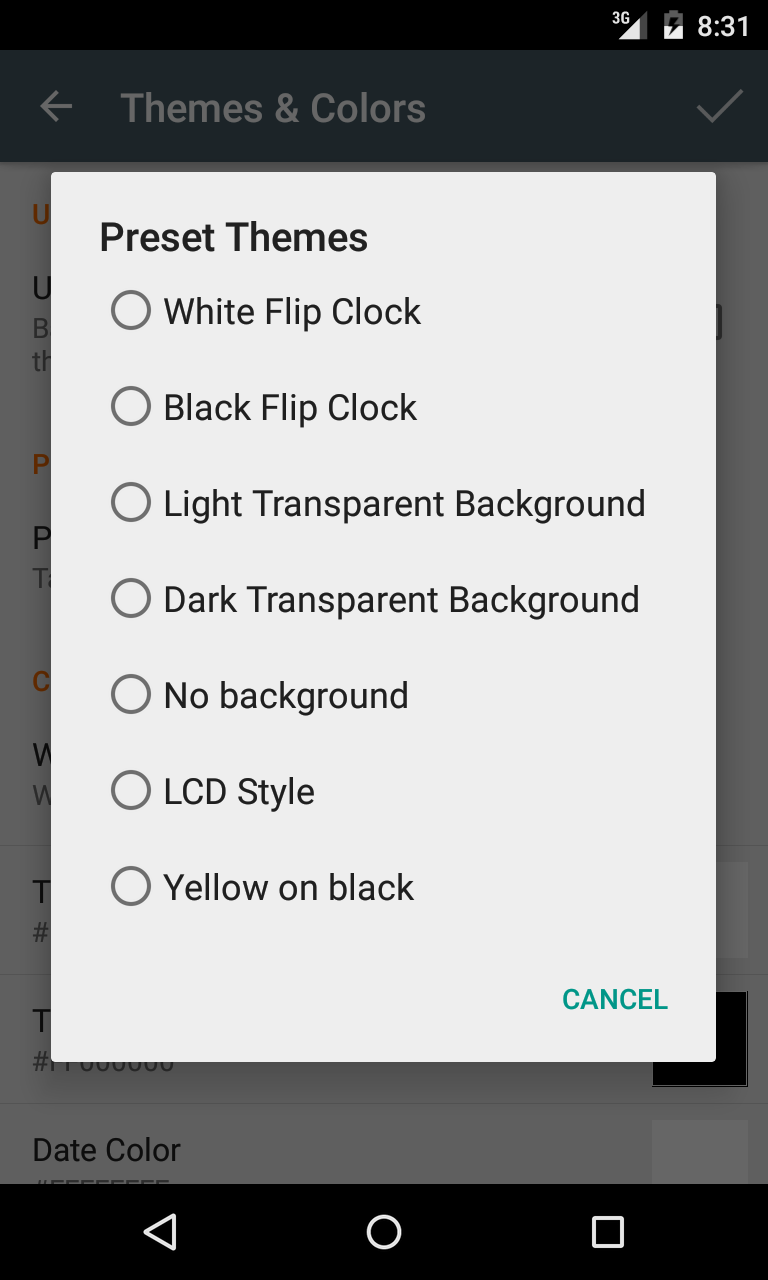
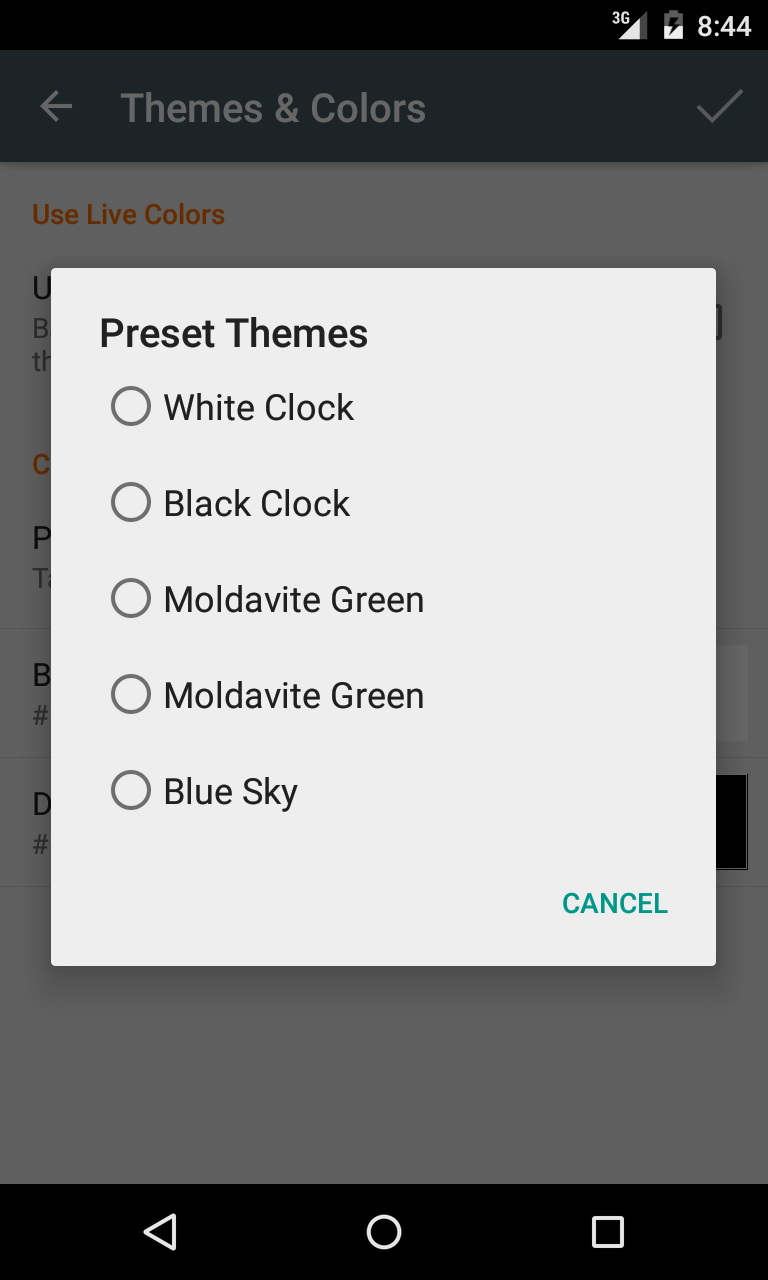
Preset Themes
Displayed after device reboot before widget is rendered for first time.
Preset Themes
0
Preset Themes
Last updated by Thaiger on Mon Sep 21 01:02:50 UTC 2015
Tap to pick from ready made color palettes
Displayed after device reboot before widget is rendered for first time.
Tap to pick from ready made color palettes
0
Tap to pick from ready made color palettes
Last updated by Thaiger on Mon Sep 21 01:02:53 UTC 2015
Custom Colors
Displayed after device reboot before widget is rendered for first time.
Custom Colors
0
Custom Colors
Last updated by Thaiger on Mon Sep 21 01:02:56 UTC 2015
Background Color
Displayed after device reboot before widget is rendered for first time.
Background Color
0
Background Color
Last updated by Thaiger on Mon Sep 21 01:03:00 UTC 2015
Dial Color
Displayed after device reboot before widget is rendered for first time.
Dial Color
0
Dial Color
Last updated by Thaiger on Mon Sep 21 01:03:03 UTC 2015
Themes & Colors
Displayed after device reboot before widget is rendered for first time.
Themes & Colors
0
Themes & Colors
Last updated by Thaiger on Mon Sep 21 01:03:06 UTC 2015
Background
Displayed after device reboot before widget is rendered for first time.
Background
0
Background
Last updated by Thaiger on Mon Sep 21 01:03:09 UTC 2015
Widget Background
Displayed after device reboot before widget is rendered for first time.
Widget Background
0
Widget Background
Last updated by Thaiger on Mon Sep 21 01:03:12 UTC 2015
Time Zone Name Color
Displayed after device reboot before widget is rendered for first time.
Time Zone Name Color
0
Time Zone Name Color
Last updated by Thaiger on Mon Sep 21 01:03:15 UTC 2015
Time Color
Displayed after device reboot before widget is rendered for first time.
Time Color
0
Time Color
Last updated by Thaiger on Mon Sep 21 01:03:18 UTC 2015
Date Color
Displayed after device reboot before widget is rendered for first time.
Date Color
0
Date Color
Last updated by Thaiger on Mon Sep 21 01:03:20 UTC 2015
Text Shadow Color
Displayed after device reboot before widget is rendered for first time.
Text Shadow Color
0
Text Shadow Color
Last updated by Thaiger on Mon Sep 21 01:03:23 UTC 2015
Background Opacity
Displayed after device reboot before widget is rendered for first time.
Background Opacity
0
Background Opacity
Last updated by Thaiger on Mon Sep 21 01:03:26 UTC 2015
Appearance
Displayed after device reboot before widget is rendered for first time.
Appearance
0
Appearance
Last updated by Thaiger on Mon Sep 21 01:03:28 UTC 2015
Tweak widget look here
Displayed after device reboot before widget is rendered for first time.
Tweak widget look here
0
Tweak widget look here
Last updated by Thaiger on Mon Sep 21 01:03:31 UTC 2015
Display Options
Displayed after device reboot before widget is rendered for first time.
Display Options
0
Display Options
Last updated by Thaiger on Mon Sep 21 01:03:34 UTC 2015
Use 24 hours time format?
Displayed after device reboot before widget is rendered for first time.
Use 24 hours time format?
0
Use 24 hours time format?
Last updated by Thaiger on Mon Sep 21 01:03:36 UTC 2015
Display am/pm indicator?
Displayed after device reboot before widget is rendered for first time.
Display am/pm indicator?
0
Display am/pm indicator?
Last updated by Thaiger on Mon Sep 21 01:03:39 UTC 2015
Am/pm is hidden
Displayed after device reboot before widget is rendered for first time.
Am/pm is hidden
0
Am/pm is hidden
Last updated by Thaiger on Mon Sep 21 01:03:42 UTC 2015
Am/pm is displayed
Displayed after device reboot before widget is rendered for first time.
Am/pm is displayed
0
Am/pm is displayed
Last updated by Thaiger on Mon Sep 21 01:03:46 UTC 2015
Small Am/Pm Indicator
Displayed after device reboot before widget is rendered for first time.
Small Am/Pm Indicator
0
Small Am/Pm Indicator
Last updated by Thaiger on Mon Sep 21 01:03:49 UTC 2015
Time is displayed as 6:00AM when background is set to \'No Picture\'
Displayed after device reboot before widget is rendered for first time.
Time is displayed as 6:00AM when background is set to \'No Picture\'
0
Time is displayed as 6:00AM when background is set to \'No Picture\'
Last updated by Thaiger on Mon Sep 21 01:03:51 UTC 2015
Am/pm is displayed on the left side with small font
Displayed after device reboot before widget is rendered for first time.
Am/pm is displayed on the left side with small font
0
Am/pm is displayed on the left side with small font
Last updated by Thaiger on Mon Sep 21 01:03:55 UTC 2015
Display date
Displayed after device reboot before widget is rendered for first time.
Display date
0
Display date
Last updated by Thaiger on Mon Sep 21 01:03:57 UTC 2015
Date is Hidden
Displayed after device reboot before widget is rendered for first time.
Date is Hidden
0
Date is Hidden
Last updated by Thaiger on Mon Sep 21 01:04:00 UTC 2015
Date is Displayed
Displayed after device reboot before widget is rendered for first time.
Date is Displayed
0
Date is Displayed
Last updated by Thaiger on Mon Sep 21 01:04:03 UTC 2015
Display Time Zone Name
Displayed after device reboot before widget is rendered for first time.
Display Time Zone Name
0
Display Time Zone Name
Last updated by Thaiger on Mon Sep 21 01:04:06 UTC 2015
Time Zone Name is hidden
Displayed after device reboot before widget is rendered for first time.
Time Zone Name is hidden
0
Time Zone Name is hidden
Last updated by Thaiger on Mon Sep 21 01:04:10 UTC 2015
Time Zone Name is displayed
Displayed after device reboot before widget is rendered for first time.
Time Zone Name is displayed
0
Time Zone Name is displayed
Last updated by Thaiger on Mon Sep 21 01:04:13 UTC 2015
Display Time With Bold Font
Displayed after device reboot before widget is rendered for first time.
Display Time With Bold Font
0
Display Time With Bold Font
Last updated by Thaiger on Mon Sep 21 01:04:19 UTC 2015
Time is displayed with bold font
Displayed after device reboot before widget is rendered for first time.
Time is displayed with bold font
0
Time is displayed with bold font
Last updated by Thaiger on Mon Sep 21 01:04:22 UTC 2015
Time is displayed with plain font
Displayed after device reboot before widget is rendered for first time.
Time is displayed with plain font
0
Time is displayed with plain font
Last updated by Thaiger on Mon Sep 21 01:04:26 UTC 2015
Suppress leading zero
Displayed after device reboot before widget is rendered for first time.
Suppress leading zero
0
Suppress leading zero
Last updated by Thaiger on Mon Sep 21 01:04:29 UTC 2015
Display time as 02:30
Displayed after device reboot before widget is rendered for first time.
Display time as 02:30
0
Display time as 02:30
Last updated by Thaiger on Mon Sep 21 01:04:32 UTC 2015
Display time as 2:30
Displayed after device reboot before widget is rendered for first time.
Display time as 2:30
0
Display time as 2:30
Last updated by Thaiger on Mon Sep 21 01:04:35 UTC 2015
3D Effect
Displayed after device reboot before widget is rendered for first time.
3D Effect
0
3D Effect
Last updated by Thaiger on Mon Sep 21 01:04:38 UTC 2015
Digital Clock has 3D effect
Displayed after device reboot before widget is rendered for first time.
Digital Clock has 3D effect
0
Digital Clock has 3D effect
Last updated by Thaiger on Mon Sep 21 01:04:41 UTC 2015
Digital Clock has no 3D effect
Displayed after device reboot before widget is rendered for first time.
Digital Clock has no 3D effect
0
Digital Clock has no 3D effect
Last updated by Thaiger on Mon Sep 21 01:04:43 UTC 2015
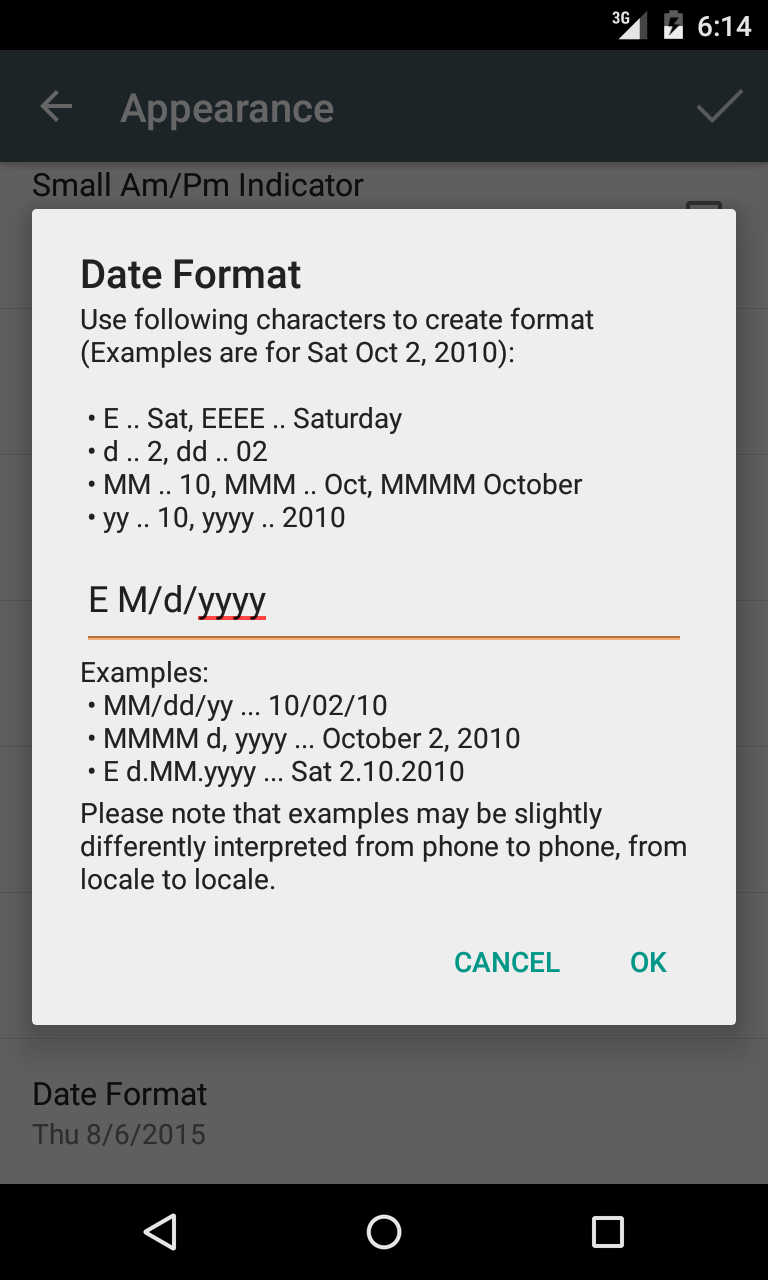
Date Format
Displayed after device reboot before widget is rendered for first time.
Date Format
0
Date Format
Last updated by Thaiger on Mon Sep 21 01:04:46 UTC 2015
Background image
Displayed after device reboot before widget is rendered for first time.
Background image
0
Background image
Last updated by Thaiger on Mon Sep 21 01:04:49 UTC 2015
Live Colors Parameters
Displayed after device reboot before widget is rendered for first time.
Live Colors Parameters
0
Live Colors Parameters
Last updated by Thaiger on Mon Sep 21 01:04:55 UTC 2015
Background of the widget will be the same all the time
Displayed after device reboot before widget is rendered for first time.
Background of the widget will be the same all the time
0
Background of the widget will be the same all the time
Last updated by Thaiger on Mon Sep 21 01:04:58 UTC 2015
Background of the widget will be different on night time and on day time
Displayed after device reboot before widget is rendered for first time.
Background of the widget will be different on night time and on day time
0
Background of the widget will be different on night time and on day time
Last updated by Thaiger on Mon Sep 21 01:05:00 UTC 2015
Use Live Colors
Displayed after device reboot before widget is rendered for first time.
Use Live Colors
0
Use Live Colors
Last updated by Thaiger on Mon Sep 21 01:05:03 UTC 2015
Night starts at
Displayed after device reboot before widget is rendered for first time.
Night starts at
0
Night starts at
Last updated by Thaiger on Mon Sep 21 01:05:06 UTC 2015
Night ends at
Displayed after device reboot before widget is rendered for first time.
Night ends at
0
Night ends at
Last updated by Thaiger on Mon Sep 21 01:05:09 UTC 2015
Day Time Colors
Displayed after device reboot before widget is rendered for first time.
Day Time Colors
0
Day Time Colors
Last updated by Thaiger on Mon Sep 21 01:05:12 UTC 2015
Night Time Colors
Displayed after device reboot before widget is rendered for first time.
Night Time Colors
0
Night Time Colors
Last updated by Thaiger on Mon Sep 21 01:05:14 UTC 2015
Use following characters to create format (Examples are for Sat Oct 2, 2010):\n\n • E .. Sat, EEEE .. Saturday\n • d .. 2, dd .. 02\n • MM .. 10, MMM .. Oct, MMMM October\n • yy .. 10, yyyy .. 2010\n
Date format dialog
Use following characters to create format (Examples are for Sat Oct 2, 2010):\n\n • E .. Sat, EEEE .. Saturday\n • d .. 2, dd .. 02\n • MM .. 10, MMM .. Oct, MMMM October\n • yy .. 10, yyyy .. 2010\n
0
Use following characters to create format (Examples are for Sat Oct 2, 2010):\n\n • E .. Sat, EEEE .. Saturday\n • d .. 2, dd .. 02\n • MM .. 10, MMM .. Oct, MMMM October\n • yy .. 10, yyyy .. 2010\n
Last updated by Thaiger on Mon Sep 21 01:05:18 UTC 2015
Examples:\n • MM/dd/yy .. 10/02/10\n • MMMM d, yyyy .. October 2, 2010\n • E d.MM.yyyy .. Sat 2.10.2010
Date format dialog
Examples:\n • MM/dd/yy .. 10/02/10\n • MMMM d, yyyy .. October 2, 2010\n • E d.MM.yyyy .. Sat 2.10.2010
0
Examples:\n • MM/dd/yy ... 10/02/10\n • MMMM d, yyyy ... October 2, 2010\n • E d.MM.yyyy ... Sat 2.10.2010
Last updated by Thaiger on Mon Sep 21 01:05:21 UTC 2015
Please note that examples may be slightly differently interpreted from phone to phone.
Date format dialog
Please note that examples may be slightly differently interpreted from phone to phone.
0
Please note that examples may be slightly differently interpreted from phone to phone.
Last updated by Thaiger on Mon Sep 21 01:05:24 UTC 2015
White Flip Clock
Widget backgrounds
White Flip Clock
0
White Flip Clock
Last updated by Thaiger on Mon Sep 21 01:05:27 UTC 2015
Black Flip Clock
Widget backgrounds
Black Flip Clock
0
Black Flip Clock
Last updated by Thaiger on Mon Sep 21 01:05:30 UTC 2015
No background
Widget backgrounds
No background
0
No background
Last updated by Thaiger on Mon Sep 21 01:05:32 UTC 2015
Light Transparent Background
Preset themes for digital look and feel
Light Transparent Background
0
Light Transparent Background
Last updated by Thaiger on Mon Sep 21 01:05:35 UTC 2015
Dark Transparent Background
Preset themes for digital look and feel
Dark Transparent Background
0
Dark Transparent Background
Last updated by Thaiger on Mon Sep 21 01:05:43 UTC 2015
No picture
Preset themes for digital look and feel
No picture
0
No picture
Last updated by Thaiger on Mon Sep 21 01:05:45 UTC 2015
LCD Style
Preset themes for digital look and feel
LCD Style
0
LCD Style
Last updated by Thaiger on Mon Sep 21 01:05:48 UTC 2015
Yellow on black
Preset themes for digital look and feel
Yellow on black
0
Yellow on black
Last updated by Thaiger on Mon Sep 21 01:06:17 UTC 2015
White Clock
Preset themes for analog look and feel
White Clock
0
White Clock
Last updated by Thaiger on Mon Sep 21 01:06:20 UTC 2015
Black Clock
Preset themes for analog look and feel
Black Clock
0
Black Clock
Last updated by Thaiger on Mon Sep 21 01:06:23 UTC 2015
Moldavite Green
Preset themes for analog look and feel
Moldavite Green
0
Moldavite Green
Last updated by Thaiger on Mon Sep 21 01:06:26 UTC 2015
Bordeaux Wine
Preset themes for analog look and feel
Bordeaux Wine
0
Bordeaux Wine
Last updated by Thaiger on Mon Sep 21 01:06:29 UTC 2015
Blue Sky
Preset themes for analog look and feel
Blue Sky
0
Blue Sky
Last updated by Thaiger on Mon Sep 21 01:06:32 UTC 2015
Global Preferences
Global app preferences
Global Preferences
0
Global Preferences
Last updated by Thaiger on Mon Sep 21 01:06:35 UTC 2015
Timezone Info Data
About the app
Timezone Info Data
0
App is using timezone info kindly provided by http://www.geonames.org/. Data are licensed under Creative Commons Attribution 3.0 license (https://creativecommons.org/licenses/by/3.0/)
About the app
App is using timezone info kindly provided by http://www.geonames.org/. Data are licensed under Creative Commons Attribution 3.0 license (https://creativecommons.org/licenses/by/3.0/)
0
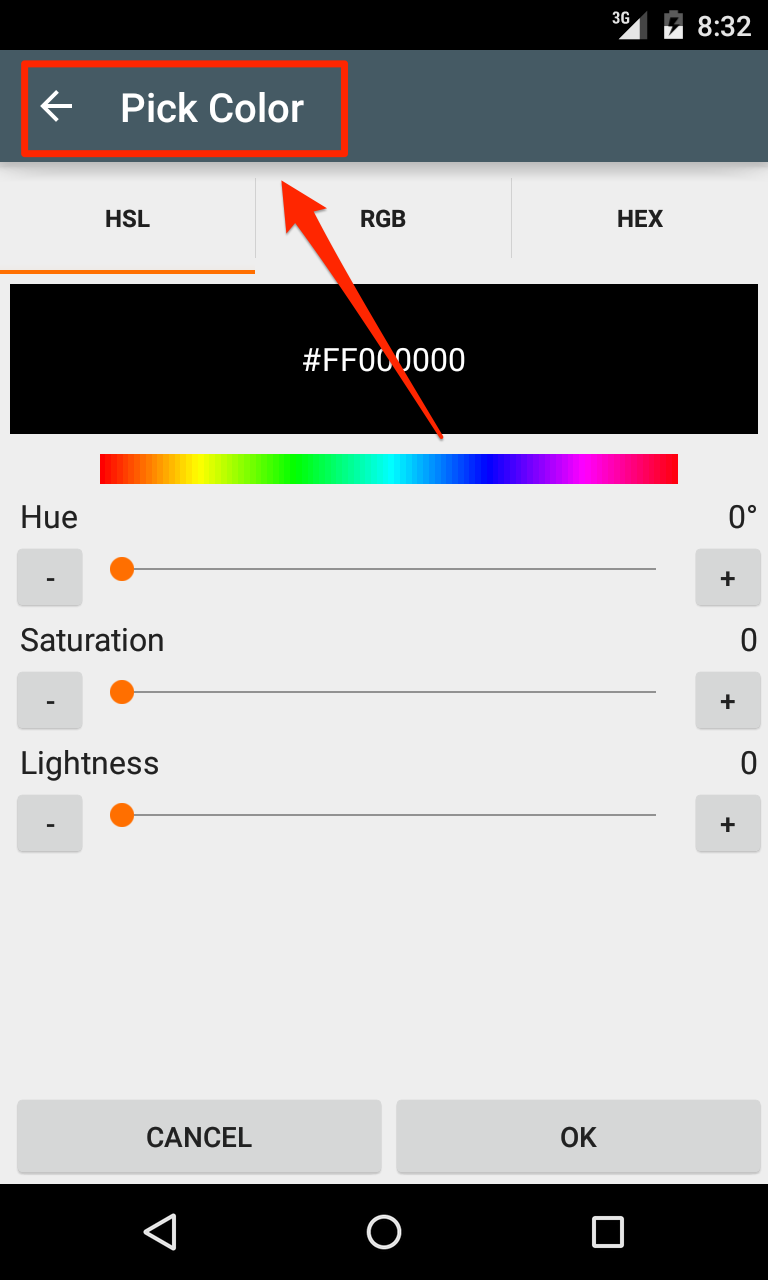
Pick Color
Color picker title
Pick Color
0
Pick Color
Last updated by Thaiger on Mon Sep 21 01:07:45 UTC 2015
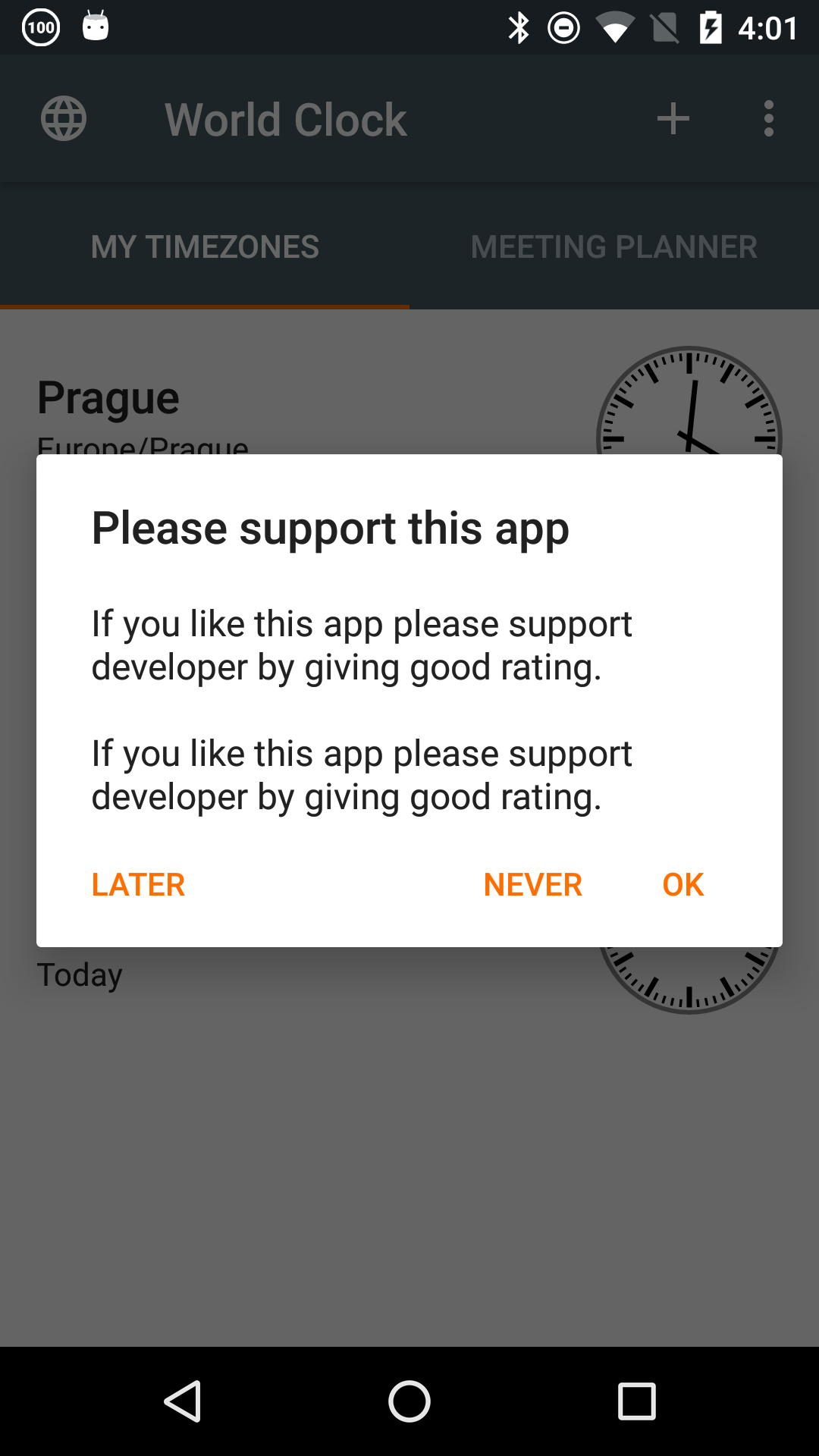
Never
Buttons for If you like dialog.
Never
0
Never
Last updated by Tomáš Hubálek on Mon Oct 10 11:05:03 UTC 2016
Later
Buttons for If you like dialog.
Later
0
Later
Last updated by Tomáš Hubálek on Mon Oct 10 11:05:06 UTC 2016
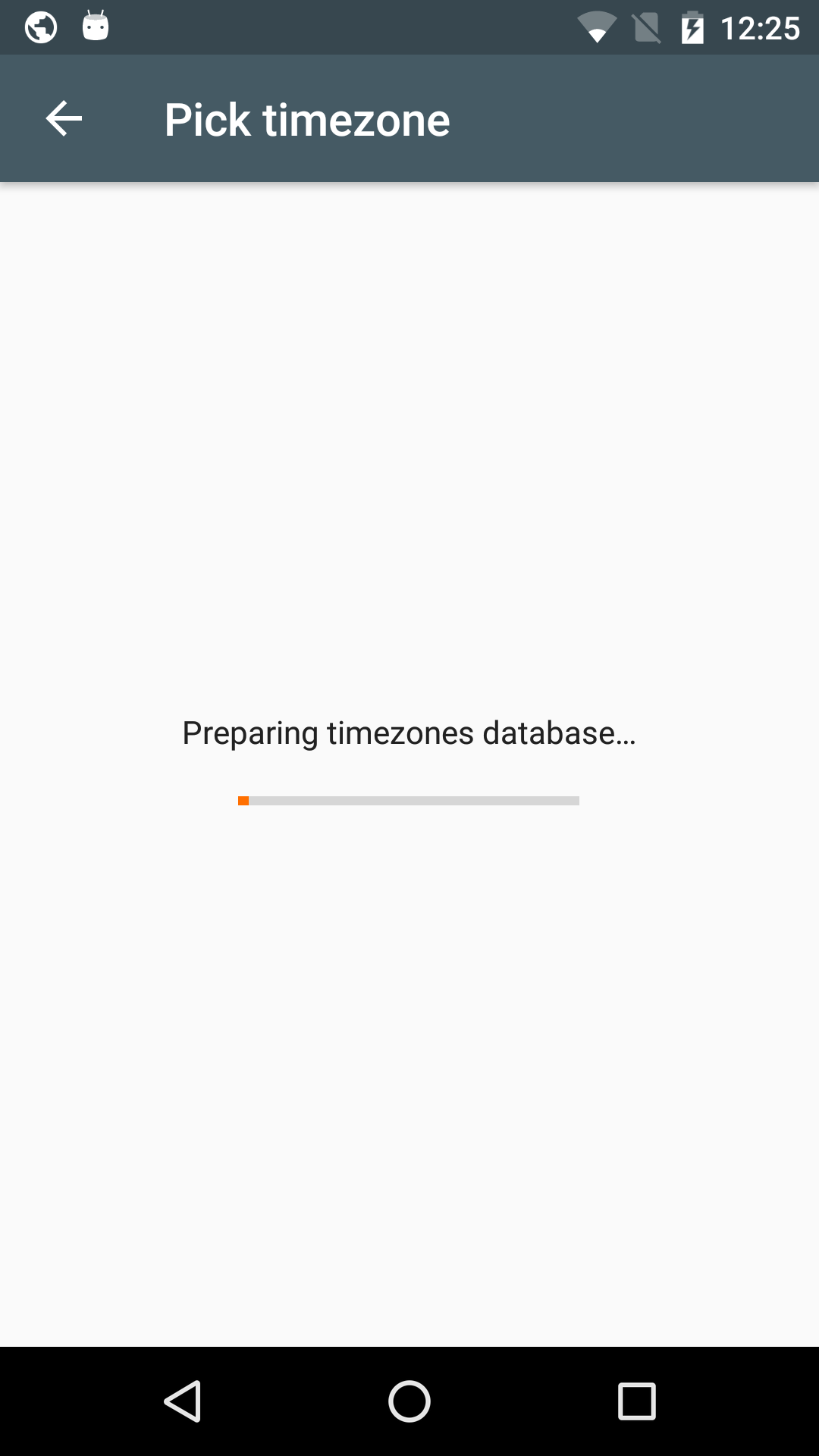
Preparing timezones database…
Preparing timezones database text
Preparing timezones database…
0
Preparing timezones database…
Last updated by Tomáš Hubálek on Mon Oct 10 11:05:09 UTC 2016
Saving widget configuration…
Saving widget configuration dialog
Saving widget configuration…
0
Configuration saved!
Saving widget configuration dialog
Configuration saved!
0
Close
Saving widget configuration dialog
Close
0
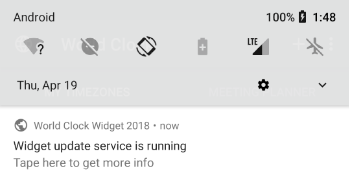
Widget update service is running
Notification about background work. Oreo only.
Widget update service is running
0
Tape here to get more info
Notification about background work. Oreo only.
Tape here to get more info
1
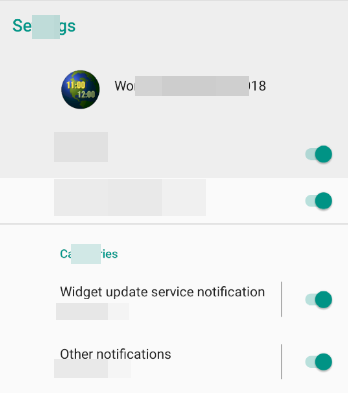
Widget update service notification
Notification channels. Oreo only.
Widget update service notification
0
Other notifications
Notification channels. Oreo only.
Other notifications
0
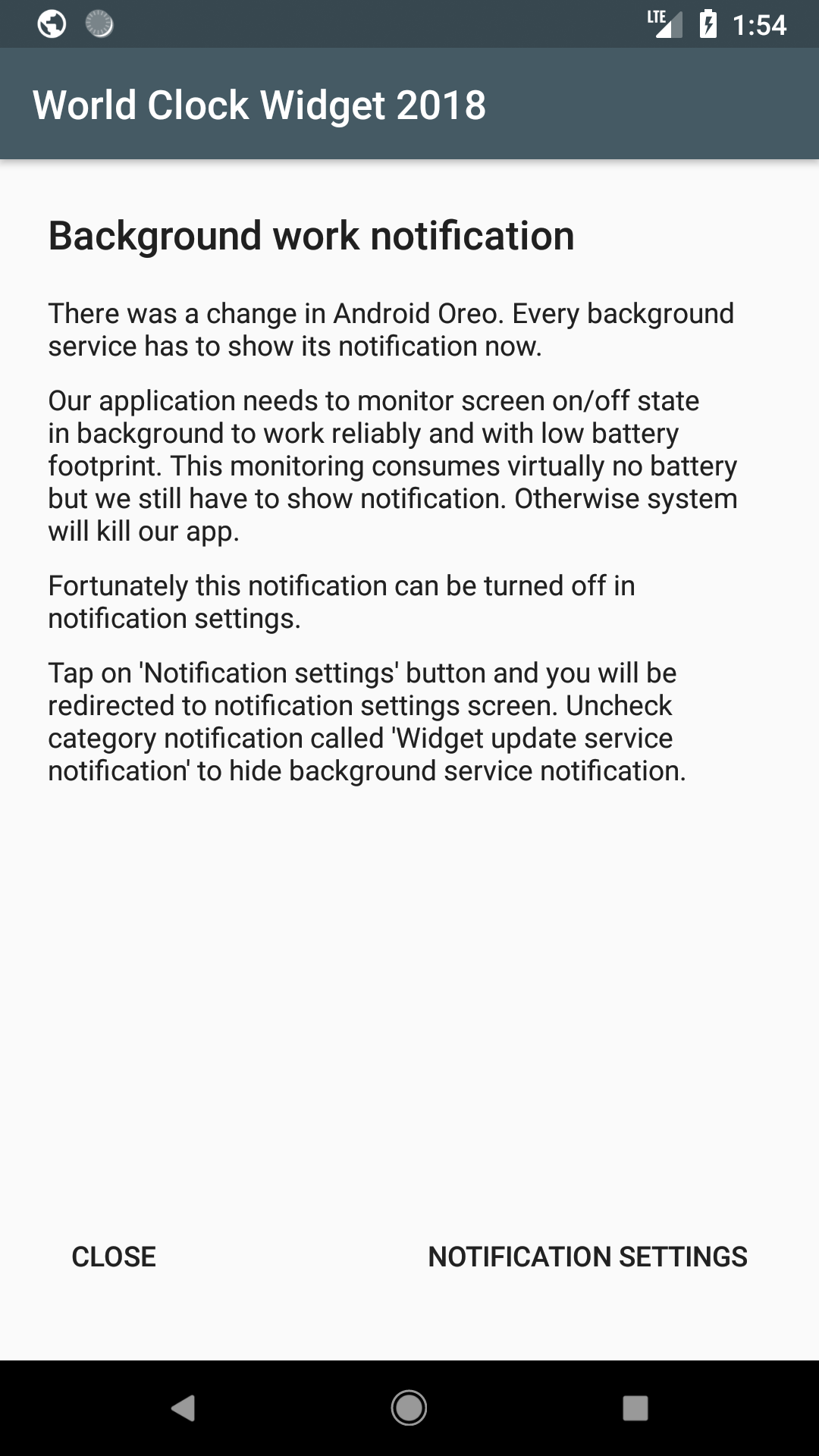
Background work notification
Background work info activity. Oreo only.
Background work notification
0
There was a change in Android Oreo. Every background service has to show its notification now.
Background work info activity. Oreo only.
There was a change in Android Oreo. Every background service has to show its notification now.
0
Our application needs to monitor screen on/off state in background to work reliably and with low battery footprint. This monitoring consumes virtually no battery but we still have to show notification. Otherwise system will kill our app.
Background work info activity. Oreo only.
Our application needs to monitor screen on/off state in background to work reliably and with low battery footprint. This monitoring consumes virtually no battery but we still have to show notification. Otherwise system will kill our app.
0
Fortunately this notification can be turned off in notification settings.
Background work info activity. Oreo only.
Fortunately this notification can be turned off in notification settings.
0
Tap on \'%1$s\' button and you will be redirected to notification settings screen. Uncheck category notification called \'%2$s\' to hide background service notification.
Background work info activity. Oreo only.
Tap on \'%1$s\' button and you will be redirected to notification settings screen. Uncheck category notification called \'%2$s\' to hide background service notification.
0
Close
Background work info activity. Oreo only.
Close
0
Notification settings
Background work info activity. Oreo only.
Notification settings
0
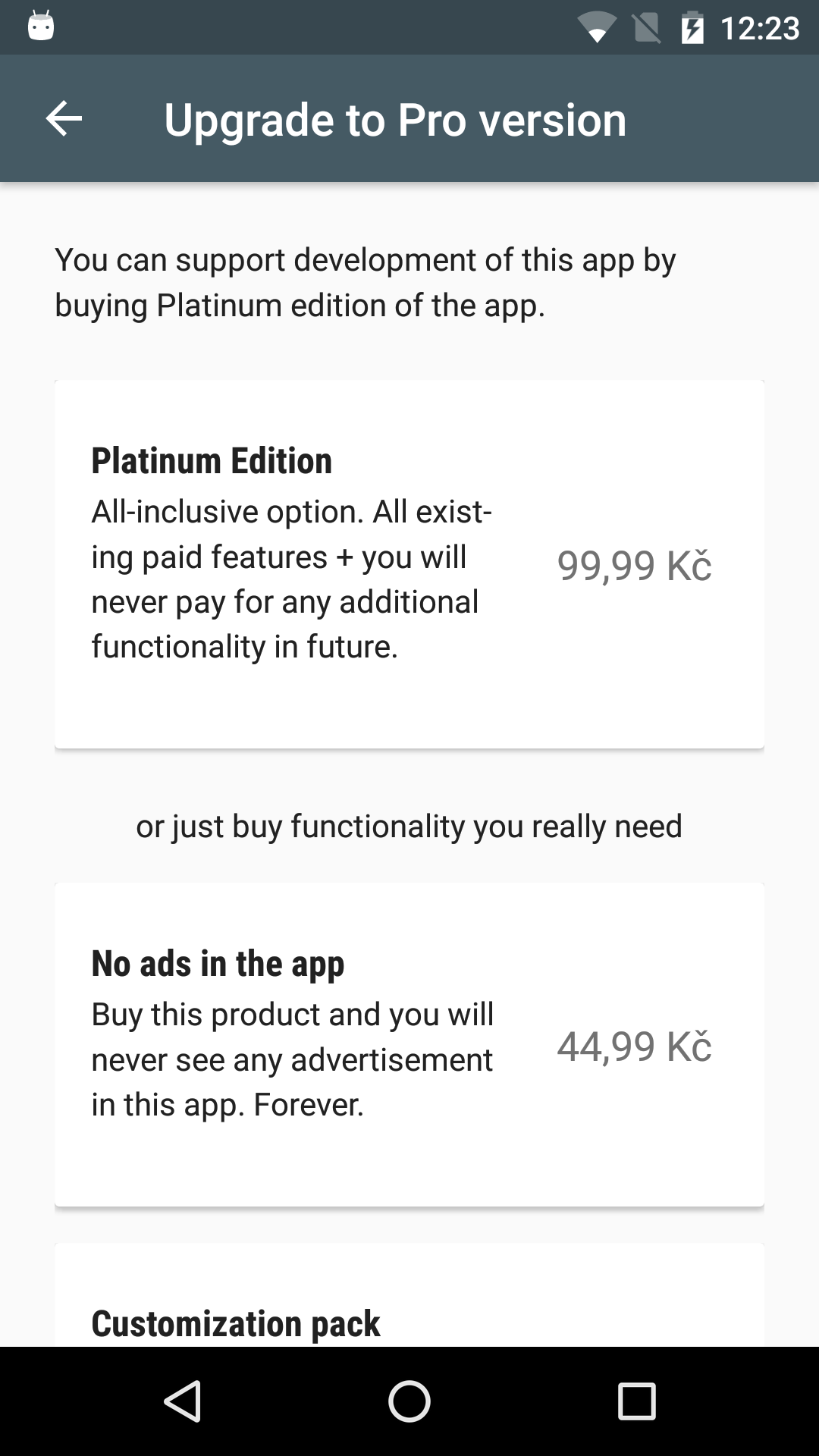
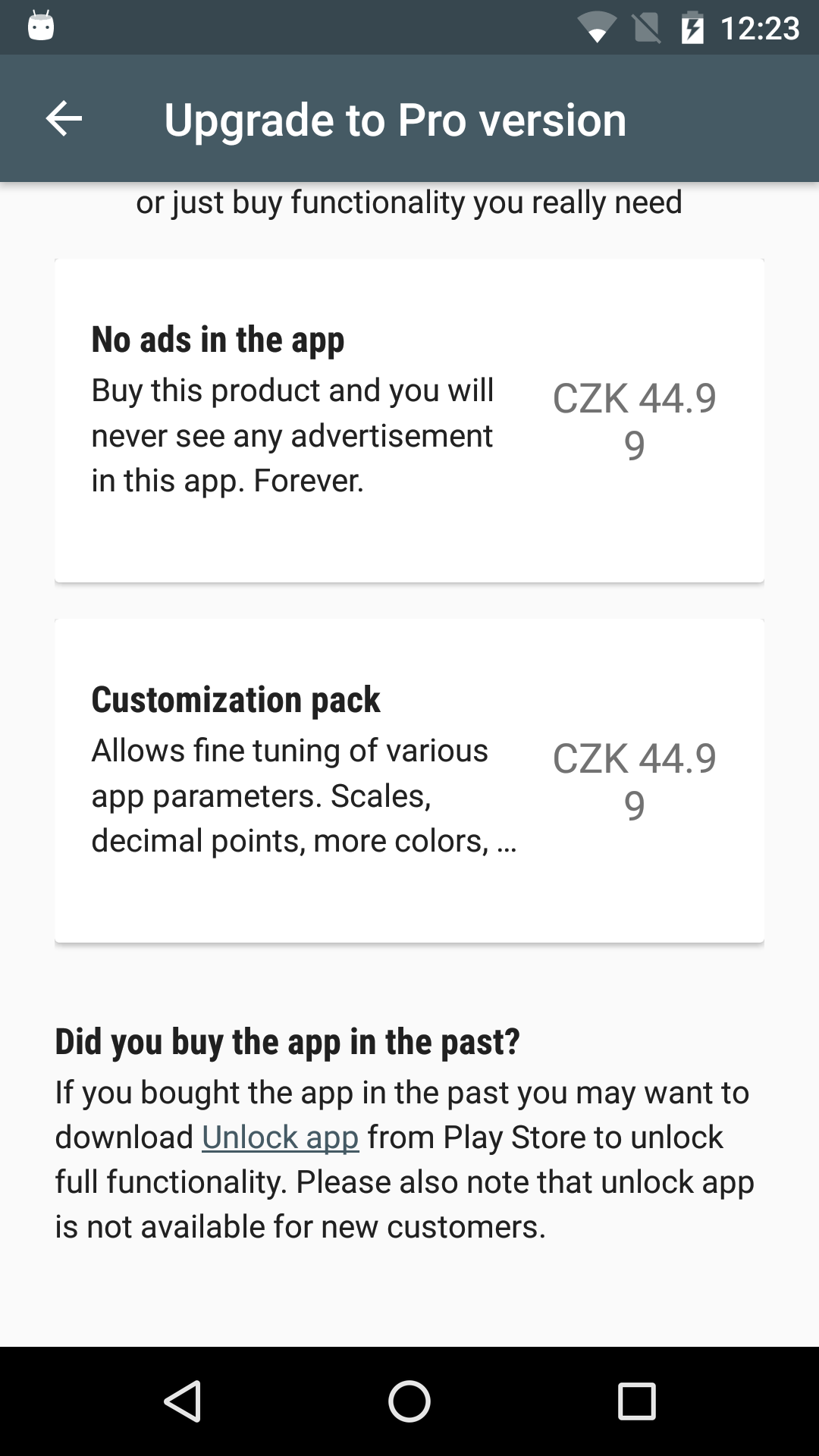
Upgrade to Pro version
Upgrade activity
Upgrade to Pro version
0
Owned
Upgrade activity
Owned
0
Your in app purchases were restored…
Upgrade activity
Your in app purchases were restored…
0
Thank you for upgrade!
Upgrade activity
Thank you for upgrade!
0
You can support development of this app by buying Platinum edition of the app.
Upgrade activity
You can support development of this app by buying Platinum edition of the app.
0
or just buy functionality you really need
Upgrade activity
or just buy functionality you really need
0
Platinum Edition
Upgrade activity
Platinum Edition
0
All-inclusive option. All existing paid features + you will never pay for any additional functionality in future.
Upgrade activity
All-inclusive option. All existing paid features + you will never pay for any additional functionality in future.
0
Customization pack
Upgrade activity
Customization pack
0
Allows fine tuning of various app parameters. Advanced settings, more colors tweaking, …
Upgrade activity
Allows fine tuning of various app parameters. Advanced settings, more colors tweaking, …
0
No ads in the app
Upgrade activity
No ads in the app
0
Buy this product and you will never see any advertisement in this app. Forever.
Upgrade activity
Buy this product and you will never see any advertisement in this app. Forever.
0
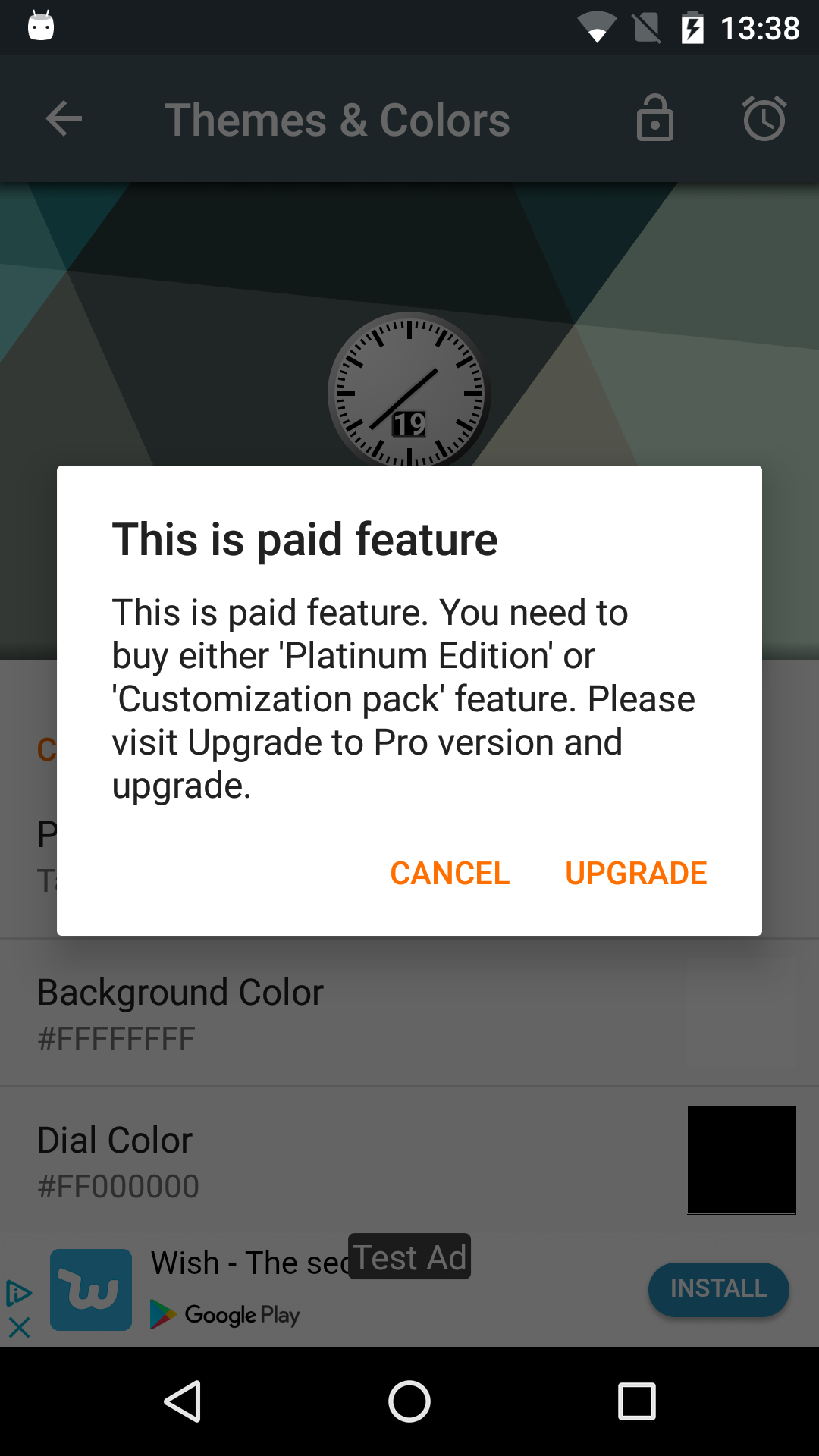
This is paid feature
Paid feature only dialog
This is paid feature
0
This is paid feature. You need to buy either \'%1$s\' or \'%2$s\' feature. Please visit %3$s and upgrade.
Paid feature only dialog
This is paid feature. You need to buy either \'%1$s\' or \'%2$s\' feature. Please visit %3$s and upgrade.
0
Upgrade
Paid feature only dialog
Upgrade
0
Cancel
Paid feature only dialog
Cancel
0
Advertisement settings
Ads personalization
Advertisement settings
0
Advertisement type
Ads personalization
Advertisement type
0
Relevant (personalized) ads
Ads personalization
Relevant (personalized) ads
0
Less relevant (non personalized) ads
Ads personalization
Less relevant (non personalized) ads
0
Original text may be changed and translation needs review. Save it to remove this flag.
Translation is missing. Please translate and click on Save button to remove this flag.${workspace}/WorldClockWidget2015/res/values/strings.xmlNote/Context:
What is wrong with this translation?
What do you suggest to do:
Discard this translation
Cancel translator's account as there are multiple wrong translations
I have no idea
Saving...